Video Face Swap — Smooth Frame by Frame, Zero Flicker
Upload a video and a target face — the AI tracks and swaps frame by frame, with natural expression transitions, rock-stable footage, and optional original audio. Short videos, film previz: done in minutes.
Get it done in 3 steps:Video Face Swap
No tutorial needed — three clicks is all it takes.
Upload a Video
MP4, MOV, or WebM supported — clips under 5 minutes work best.
Upload the Target Face
Provide a clear, front-facing photo of the target face.
Process & Download
Preview once the AI finishes processing frame by frame, then download in one click.
See it in one glance: before & after
AI-generated examples below: original on the left, AI result on the right.
Video Face Swap — where it shines
See how others get more done with it — you could be next.
Short-Video Creation
One actor, many roles — plot twists and multi-character skits, no longer limited by casting schedules.
Film Previz
Preview the lead actor's look on stand-in footage — post-production decisions backed by real visuals.
Talking-Head Remixes
Re-skin educational talking-head videos with a new persona — spin up a content matrix fast.
Fun Content
Holiday pranks and friendly roasts — turn classic movie scenes into your own stage.
Why choose PixelFly
Frame-by-Frame Tracking
Face detection and tracking run through the entire clip — stable even on profiles and partial occlusions.
Smooth, Flicker-Free
Temporal-consistency algorithms tuned for video — no jitter, no flicker.
Original Audio Kept
Optionally keep the video's original soundtrack — only the visuals are swapped.
AboutAI Video Face Swap
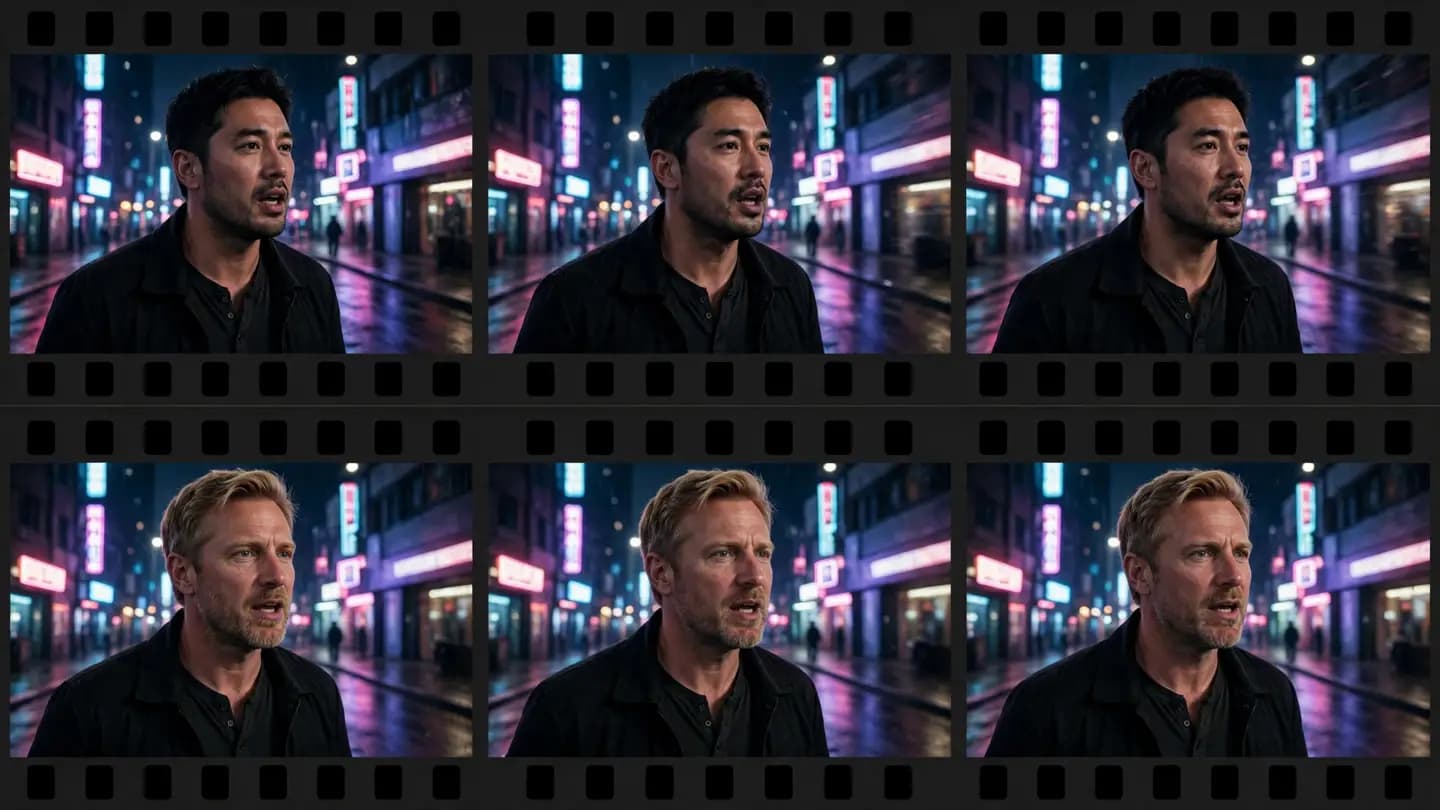
If photos can be face-swapped, so can videos. PixelFly's AI Video Face Swap takes your clip and a target face photo, then tracks the face and swaps it frame by frame — the filmstrip comparison shows the frame-to-frame consistency at a glance.
Purpose-built for video continuity: smooth face tracking, natural expression transitions, and flicker suppression — with the option to keep the original audio. A clip of a few dozen seconds is done in minutes.
Video Face SwapFAQ
No. Temporal-consistency optimization keeps face tracking smooth and expression transitions natural, effectively suppressing flicker and jitter.
Give Your Video a New Leading Face
Upload a video and let AI swap the face frame by frame. Try the temporally-consistent, silky-smooth result free.
No download · Works right in your browser · Start free