AI Face Swap — Expression & Light, Flawlessly Blended
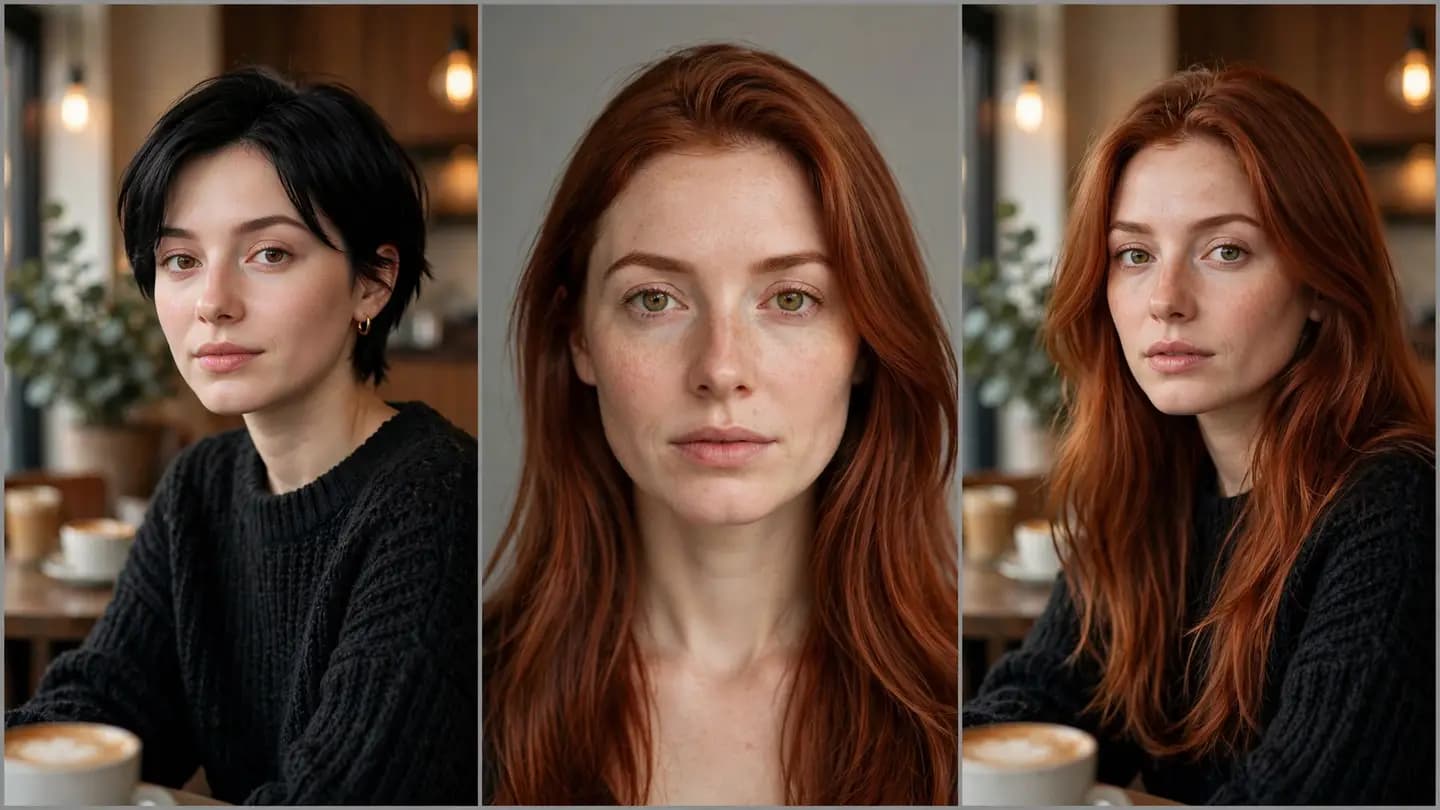
Upload the original and the target face — AI fuses features, skin tone, and expression while keeping the original mood and angle. Creative portraits, film pre-viz: see another possibility in seconds.
Face Swap — where it shines
See how others get more done with it — you could be next.
Creative Portraits
One wardrobe, multiple identities. Studios can upsell one-person-many-roles packages and lift average order value.
Cosplay Preview
See yourself in character before the costume is done — lock in the makeup direction on the first try.
Film Pre-visualization
Preview actors in costume during casting. Directors and producers finally have pictures to point at.
Fun Remixes
Parties, holidays, pranks — drop everyone's faces into movie posters for maximum laughs.
See it in one glance: before & after
AI-generated examples below: original on the left, AI result on the right.
Get it done in 3 steps:Face Swap
No tutorial needed — three clicks is all it takes.
Upload the original photo
Choose the photo whose face you want to replace.
Upload the target face
Provide a clear, front-facing photo of the target face.
Generate & download
Preview the AI blend, then download with one click.
Why choose PixelFly
Natural Expression Transfer
Keeps the original expression and angle while the target identity blends in seamlessly.
Unified Skin Tone & Lighting
Automatically matches the original color temperature and light direction — no uncanny-valley look.
High-Definition Detail
High-resolution output with crisp, sharp facial detail.
AboutAI Face Swap (Photo)
PixelFly's AI Face Swap blends one face naturally onto the person in another photo. AI doesn't just paste — it regenerates the transition between features, skin tone, expression, and lighting. Original photo, target face, blended result: three steps, crystal clear.
Creative portraits, cosplay, film storyboards — see the what-if in seconds. All processing stays within face data you've authorized; make sure you hold the legal rights to any portrait you use.
Face SwapFAQ
No. AI preserves the original expression, head angle, and lighting — only the identity changes, so the result looks natural.
Swap the face, see another possibility
Two photos, one blend. Try AI face swap free and feel the seamless transition of expression and light.
No download · Works right in your browser · Start free