One-Click Cutout, Any Background
Messy backgrounds removed in one click, with clean hair-level edges. Swap in solid colors, gradients, or any scene — ID photos, product listings, poster design, done in seconds.
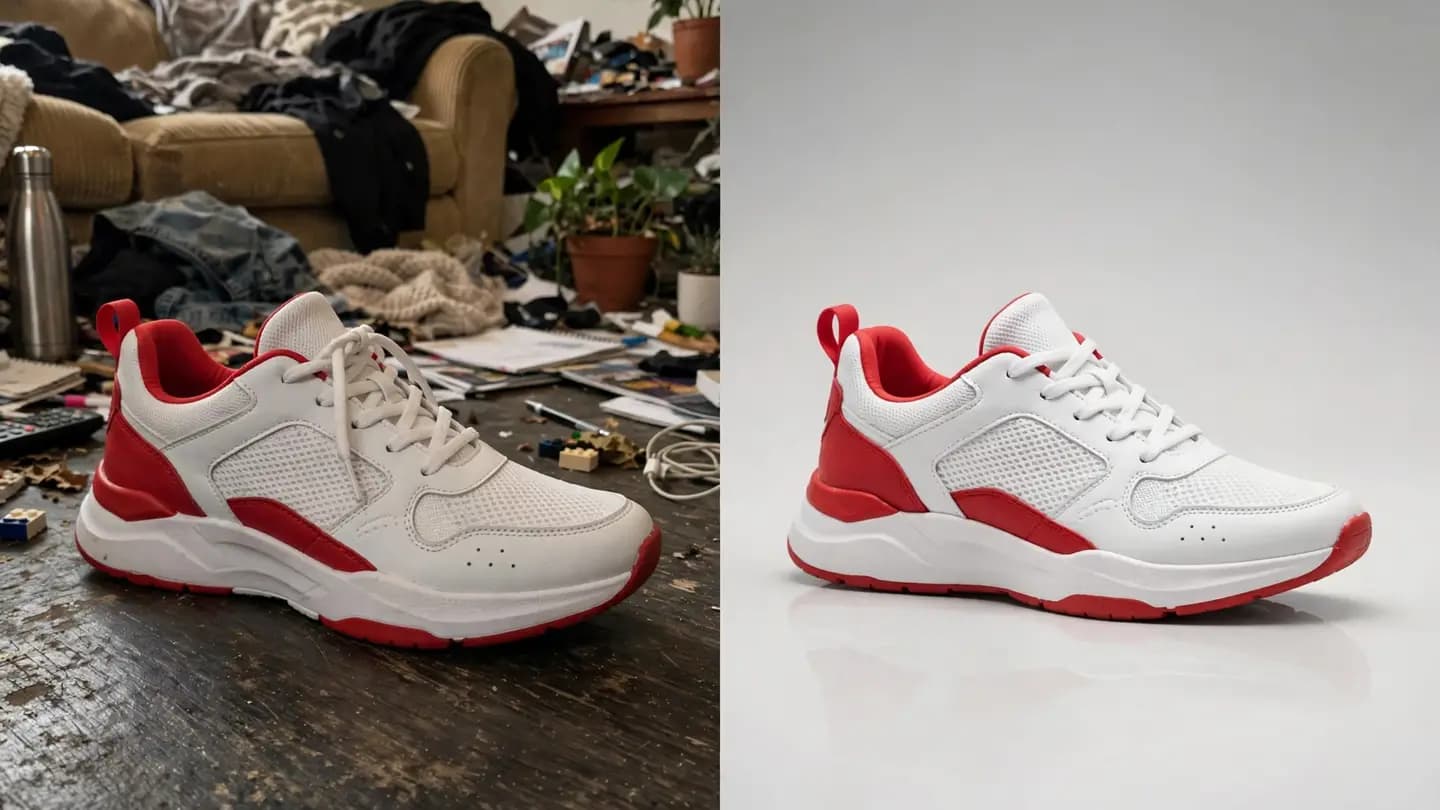
See it in one glance: before & after
AI-generated examples below: original on the left, AI result on the right.
Get it done in 3 steps:Background Editor
No tutorial needed — three clicks is all it takes.
Upload your image
Choose a photo of a person or product that needs a background change.
AI auto cutout
AI separates the subject and refines the edges in seconds.
Replace & export
Pick a new background, adjust position and shadow, then export.
Background Editor — where it shines
See how others get more done with it — you could be next.
White-Background Product Shots
Remove backgrounds and drop in pure white to meet marketplace standards — batch processing gets listings up faster.
ID Photo Backgrounds
Turn a casual photo into a standard ID photo: remove the background, swap in red, blue, or white, resize — all in one go.
Poster Design
Cut subjects out fast and compose them into poster layouts. Designers can finally retire the pen tool.
Social Avatar Refresh
Swap a cluttered background for an Instagram-style gradient or blurred street scene — instant avatar upgrade.
Why choose PixelFly
Hair-Level Cutout
Edge algorithms handle flyaway hair and semi-transparent objects precisely — clean cutouts, no white fringes.
Any Background You Want
Solid colors, gradients, real-scene templates — or upload your own backdrop.
Batch Processing
Upload multiple images at once and remove or replace backgrounds across all of them.
AboutAI Background Remover & Replacer
Still cutting out backgrounds by hand? PixelFly's AI background editor removes them in one click — hair-level edge detection separates even the finest strands cleanly. Messy original on the left, clean finished shot on the right: the difference speaks for itself.
Once the background is gone, swap in a solid color, a gradient, a blurred street scene, or any custom backdrop. ID photos, white-background product shots, poster design — work that used to take half an hour now takes seconds.
Background EditorFAQ
No. The edge-refinement algorithm handles fine details like hair and automatically matches the new background's lighting for a natural blend.
Ditch manual cutouts — start with your first image
Upload a photo and AI delivers a hair-level cutout in seconds. Try background removal and replacement free — see how clean your images can look.
No download · Works right in your browser · Start free